What's new

illumineHaz3 HD [iPad] - Winterboard

D_LA_ROC

iPF Noob
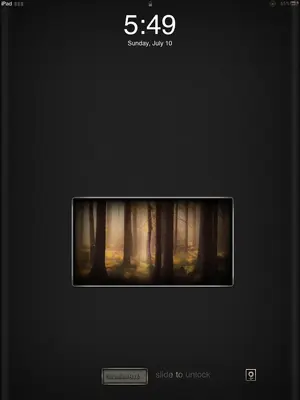
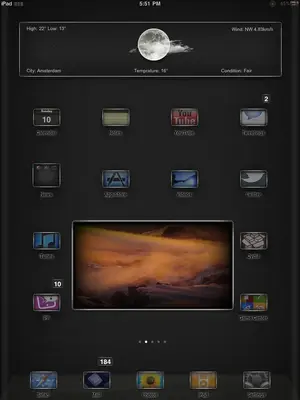
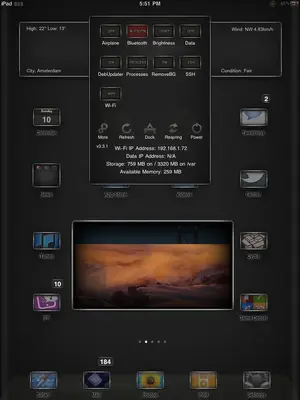
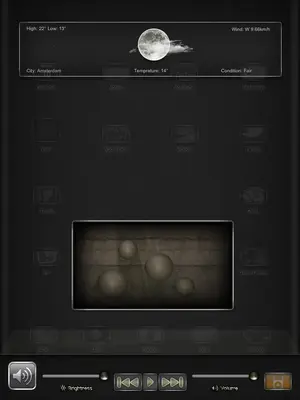
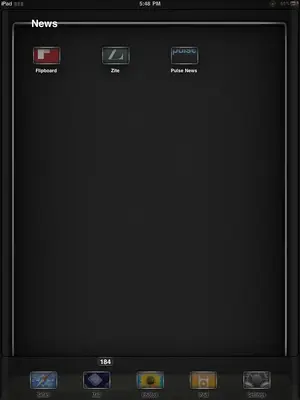
Another theme from the Haz3 Series. illumineHaz3 HD iPad is a nice dark theme with glow to it. The icons look as if there glowing against the background and you can even have the icon names glow as well. The theme comes with an Animated lockscreen, photo widget, weather widget, SBsettings theme, UIsounds, RSS feed, and more. The creator is @iHaz3 on twitter and you can get this theme in Cydia for 2.29! Here are some screenshots...

iLoveMyiPad2!
 

Attachments

  • image-430047734.webp
    image-430047734.webp
    14.8 KB · Views: 2,338
  • image-4108661954.webp
    image-4108661954.webp
    34.9 KB · Views: 2,093
  • image-1448197485.webp
    image-1448197485.webp
    38.4 KB · Views: 1,558
  • image-1314483112.webp
    image-1314483112.webp
    28.8 KB · Views: 1,205
  • image-601436018.webp
    image-601436018.webp
    10 KB · Views: 1,216
Hey thanks for sharing. I just bought this theme but for some reason I cannot activate the theme AND the weather and pic widgets at the same time. When I have the widgets there in the background and I activate the theme to get the icons, they disappear and I just have a dark "widgetless" background. Im sure there is just a simple checkmark somewhere...?
 
iW00t said:
Hey thanks for sharing. I just bought this theme but for some reason I cannot activate the theme AND the weather and pic widgets at the same time. When I have the widgets there in the background and I activate the theme to get the icons, they disappear and I just have a dark "widgetless" background. Im sure there is just a simple checkmark somewhere...?

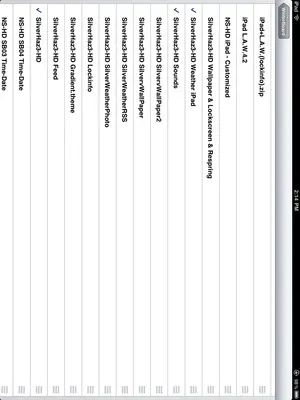
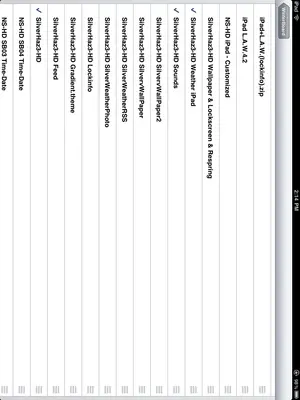
Make sure the main theme is below all the rest of the add-ons in winterboard, like this

iLoveMyiPad2!
 

Attachments

  • image-533192958.webp
    image-533192958.webp
    26.6 KB · Views: 1,458
GenerationX said:
Now i cant see the weather or the video. Can you tell me what you have enabled in winterboard

Here's my winterboard layout. Always make sure the main theme is below all the rest of the add-ons.

iLoveMyiPad2!
 

Attachments

  • image-779790181.webp
    image-779790181.webp
    26.6 KB · Views: 740
beautiful theme, I only found a very nice wallpaper which I want to use for it, but when I set the wallpaper to beginscreen nothing changes.

Also the font is not changing eventhough I selected it in winterboard.

Also there is a white text above my dock with what kind of tweaks are in it showing, can this be removed?

Any ideas?
 
Last edited:
beautiful theme, I only found a very nice wallpaper which I want to use for it, but when I set the wallpaper to beginscreen nothing changes.

Also the font is not changing eventhough I selected it in winterboard.

Also there is a white text above my dock with what kind of tweaks are in it showing, can this be removed?

Any ideas?

Take a look at your Winterboard app, either through the icon or via Settings. I believe it's a default setting, so you should see a line titled "User Wallpaper." Just move it up above the theme, respring and you should be able to use your personal wallpaper.

There's also a line for "White Icon Labels." You might want to try moving that line above your theme also, for your font.

Speaking of font, what font are you trying to change? Cause, that I know, BytaFont is what you use to change font (especially the system fonts). IOW, what line are you trying to use in Winterboard to change the font? Whichever it is, move that line above the theme also.

After you do the moving(s), respring and see how it is. Let us know how you get on.

Marilyn

 
beautiful theme, I only found a very nice wallpaper which I want to use for it, but when I set the wallpaper to beginscreen nothing changes.

Also the font is not changing eventhough I selected it in winterboard.

Also there is a white text above my dock with what kind of tweaks are in it showing, can this be removed?

Any ideas?

Take a look at your Winterboard app, either through the icon or via Settings. I believe it's a default setting, so you should see a line titled "User Wallpaper." Just move it up above the theme, respring and you should be able to use your personal wallpaper.

There's also a line for "White Icon Labels." You might want to try moving that line above your theme also, for your font.

Speaking of font, what font are you trying to change? Cause, that I know, BytaFont is what you use to change font (especially the system fonts). IOW, what line are you trying to use in Winterboard to change the font? Whichever it is, move that line above the theme also.

After you do the moving(s), respring and see how it is. Let us know how you get on.

Marilyn

Thank you very much, moving things at top of the theme was the trick. However, on another forum someone told me to overwrite the wallpaper.jpg file in the user wallpaper settings through ifile which i did, but i only get now the upper part of this wallpaper. As i overwrote it i can not change that original file back, can you share that file or tell me which resolution this file is as i obviously put a way to big image 640x960 over there. Thanks!
 
Last edited:
Ooooh! First, let me say this for everyone to read: Be VERY careful mucking about in iFile. Changes in there to your iPad could lead to disastrous consequences (read: leads to having to restore your iPad - maybe lose jailbreak).

/Public service announcement.

Pollpixx - Is that wallpaper that's messed up the one for the theme? Cause if it is, TBH, the easiest thing to do is to go back to Cydia and remove/reinstall that theme. Actually, you may be able to get away with just a reinstall, AFAIK. That'll put it back the way it was...

Marilyn
 

Most reactions

Latest posts

Back
Top