What's new

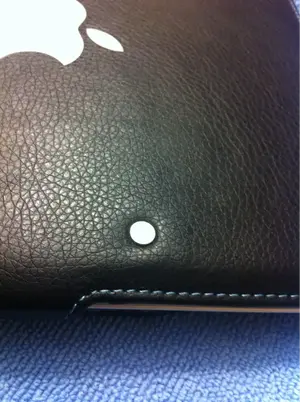
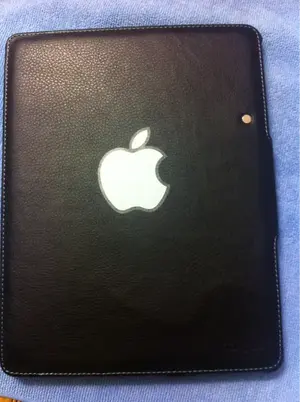
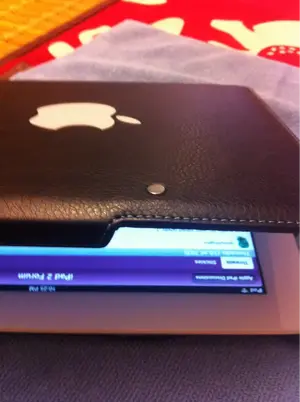
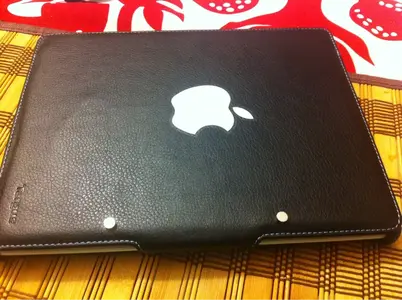
I just made my own smart cover :)

jimmy4fingers

iPF Noob
Two earth magnets placed in the right spot and BAM off when you close it and on when you open it well not totally off it puts it in sleep mode like the apple cover I am going to imbed the magnets a small bit from the outside so that the don't touch the bezel they have enough power to put it sleep mode tell me what you think? You only need 2 magnets but strong wait I have an update
You only need one magnet I dremeled into the outside of the cover a little bit not to go through the other side then applied some hot glue, now when I close the cover it goes into sleep mode then when I open it she awakens amazing using only 1 magnet I think apple used to many magnets how you like if you try it let me know
 

Attachments
  • image-663233491.webp
    image-663233491.webp
    72.6 KB · Views: 1,477
Last edited:
Here's some more pics
 

Attachments

  • image-448080094.webp
    image-448080094.webp
    51.4 KB · Views: 1,343
  • image-1414520656.webp
    image-1414520656.webp
    45.8 KB · Views: 1,082
  • image-3285904874.webp
    image-3285904874.webp
    24.9 KB · Views: 1,075
Well done. Tbh I'm too lazy to bother, but at least you'll get the cover you want.

Just think of how good it would have been if you had used all five fingers :)
 
I did something similar this evening -- glued a flat magnet into the flap of an inexpensive folio case I'm using for my iPad2. Now it wakes/sleeps the device just like Apple's Smartcover.

The folio case was just one of those $10 deals from HHI and elsewhere. I used a flat neodymium magnet scavenged from an old harddrive (if you have a modicum of mechanical destruction skills, unwanted HDs are an excellent (free) source of small, powerful magnets). Anyway, after experimenting with the magnet placement for a few minutes, I hot-glued it into the inside of the folio case cover. By lucky coincidence, the cover had an inner flap (for holding paper notes and whatnot) that I was able to place the magnet beneath. It conceals the magnet nicely and avoids having the magnet touch the glass surface directly.

I was a bit surprised to find how loose I could be with the actual placement of the magnet -- there's probably a 5 cm. area it has to be within in order to respond properly.
 
Magnets + ipad? you are bold. don't magnets erase contents of hard drives? does ipad use a solid state drive and vulnerable to these things?
 
alexjrivera said:
Magnets + ipad? you are bold. don't magnets erase contents of hard drives? does ipad use a solid state drive and vulnerable to these things?

The iPad doesn't have a hard drive. It uses Flash RAM.

Sent from my iPad 2 using iPF
 
Don9307 said:
The iPad doesn't have a hard drive. It uses Flash RAM.

Sent from my iPad 2 using iPF

Ah ok. So RAM not vulnerable to magnets?

also, i recently got apple external bluetooth keyboard. would like to easily carry this with my Targus 360 case. maybe with a rubber band or something. any ideas on how to pack keyboard with your case?
 

Most reactions

Latest posts

Back
Top