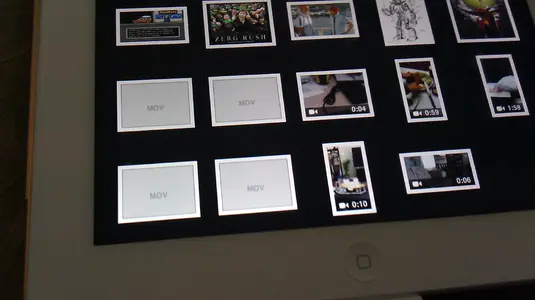
Hmmmm...that's strange, so u hook the USB up to the and nuthin comes up on the iPad? Does the kodak have a SD card slot? If so u can just take the SD card out and put it in the SD card adapter piece that's in the CCK. If ur iPad was jail broken and u had ifiles, u could almost guarantee to be able to see everything up there. I have a jvc Everio digital cam. I plugged it up to the iPad thru USB and it would only show the pics but not the movies. I was like WTF...then I opened up my ifiles( the one from Cydia..u have to be jail broken..not the wannabe ifiles from the app store..lmao). Then I could go into every file n folder on the cam. I tried to open up the movie but it told me iPad didn't support the format. Ok, I got workarounds for everything. I easily cut that movie file outta the cam, then placed it inside Oplayer media app document folder, n guess what. It plays with no issues. ;-)
Now for ur my touch 4g, it should be able to at least pick up the photos from there. My iPad picks up my photos from my win mo tilt phone. I had some issues where I knew I took new pix but it wasn't showing up on the iPad when connected. It had to do with what folder on the phone the photo was saved at. I think iPad only recognizes stuff in DCIM folder. If ir photo saved somewhere else, it won't read it. I was like ok. I used ifiles to go into my phone internal memory and it's micro SD card memory. I found the pix as it was stored on internal memory but b4 most of my pix were stored on my micro SD card n that's why the iPad wasn't seeing it just. Same things with movies, if iPad can't see it regularly, I just open up device in ifiles(from Cydia) n I can see Everything.