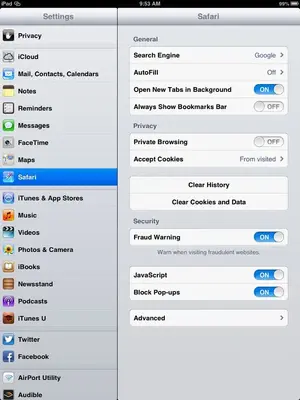
Somewhere recently I have 'lost' my Safari home page, (the one that opens when I click on Safari and has the 'preferences' button I.e to go incognito)can anyone tell me how to get this page back please?
I don't quite understand. Private browsing is actioned in Settings/Safari/Private Browsing.
Safari boots to the last open page. If you mean that you have lost your Safari icon, don't worry. It can't be deleted so it's around somewhere. You may have dragged it into a folder.
Somewhere recently I have 'lost' my Safari home page, (the one that opens when I click on Safari and has the 'preferences' button I.e to go incognito)can anyone tell me how to get this page back please?