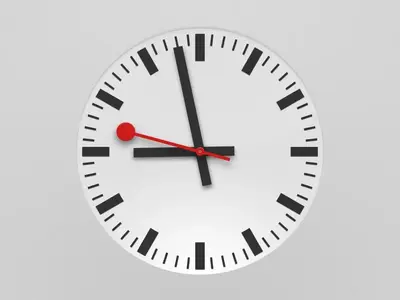
O osborneuk iPF Noob Joined Mar 14, 2011 Messages 71 Reaction score 0 Location Uk Apr 7, 2013 #1 Hi Can I put an analogue clock on my lock screen instead of the digital one? TYIA Mike
Gabriel1 iPF Noob Joined Mar 11, 2011 Messages 17,090 Reaction score 747 Location Cranbrook, Kent, UK Apr 7, 2013 #2 You mean like this...... The Archangel
OP OP O osborneuk iPF Noob Joined Mar 14, 2011 Messages 71 Reaction score 0 Location Uk Apr 7, 2013 #3 Yes
Gabriel1 iPF Noob Joined Mar 11, 2011 Messages 17,090 Reaction score 747 Location Cranbrook, Kent, UK Apr 7, 2013 #4 To get it, open the Clock App on your home screen, select the World Clock tab then tap on the clock face of the time zone that you want and it'll open full screen. The Archangel
To get it, open the Clock App on your home screen, select the World Clock tab then tap on the clock face of the time zone that you want and it'll open full screen. The Archangel
OP OP O osborneuk iPF Noob Joined Mar 14, 2011 Messages 71 Reaction score 0 Location Uk Apr 7, 2013 #5 Thanks - yes I can do that but I wanted to replace the digital clock on the LOCK SCREEN with an analogue one.
Thanks - yes I can do that but I wanted to replace the digital clock on the LOCK SCREEN with an analogue one.
Gabriel1 iPF Noob Joined Mar 11, 2011 Messages 17,090 Reaction score 747 Location Cranbrook, Kent, UK Apr 7, 2013 #6 Geez, I should read all the words shouldn't I! The Archangel
Gabriel1 iPF Noob Joined Mar 11, 2011 Messages 17,090 Reaction score 747 Location Cranbrook, Kent, UK Apr 7, 2013 #7 I believe there are tweaks that may do this if you are jailbroken, I'm not aware of any way of doing it on a stock iPad. The Archangel
I believe there are tweaks that may do this if you are jailbroken, I'm not aware of any way of doing it on a stock iPad. The Archangel
OP OP O osborneuk iPF Noob Joined Mar 14, 2011 Messages 71 Reaction score 0 Location Uk Apr 7, 2013 #8 Thanks have bog-standard iPad.