
What's new

LS Qclock for iPad - Winterboard Lockscreen Theme

f4780y

Super Moderator
Staff member
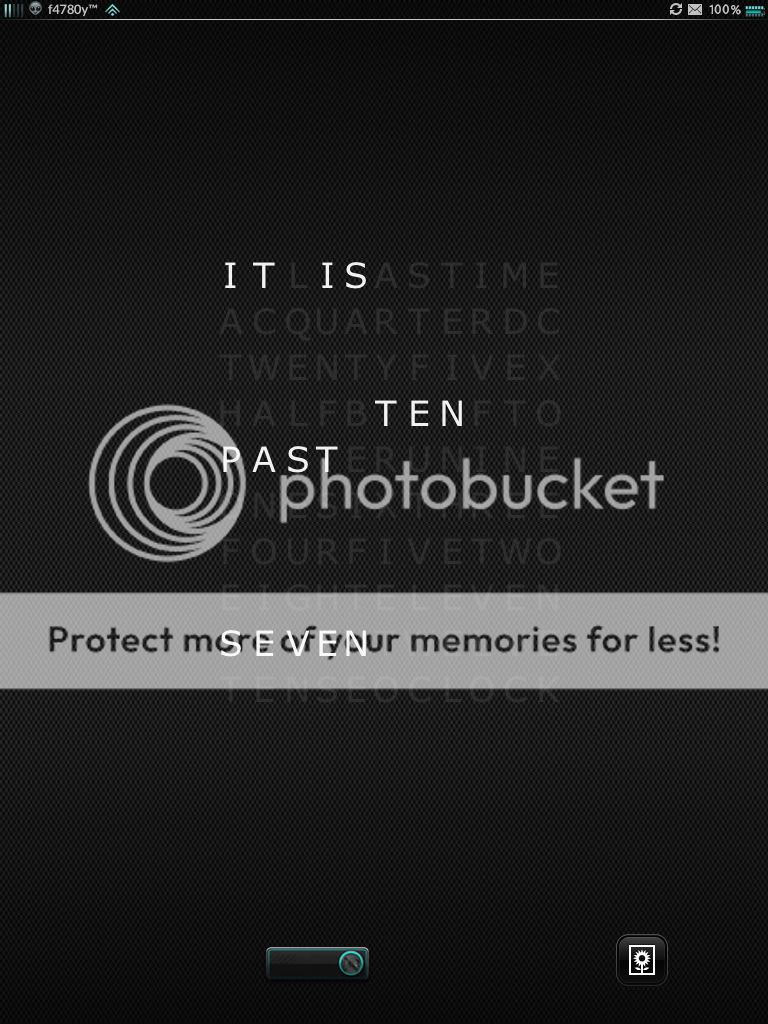
It's not often I go for stand alone lockscreen themes, but LS Qclock for iPad simply blew me away with its cool, clean, and simple look. Best of all it fits with most other themes I've tried it with (the screenie below is combined with iNitsua Twilight 3volution).

The text panel in the middle of the screen updates to provide the current time in words. Very cool.

Have a look for yourself and why not give it a try? It's a free theme in Cydia right now!
d1b414b5.jpg
 
I asked because if you were on the ipad 1 i was wondering what tweakyouused for the notifications in the status bar...
 
I was trying not to hijack the thread with my first post lol. I cant wait for opennotifier to become 5 compatible... If if does. But in the spirit of this thread, I did get this theme
 
You may want to check my other iPad 1 & 2 themes/ports here - [Moderator edit: No links to personal sites, please. Read the rules. Thanks.]

You can message me here if you want them :-)
 
Last edited by a moderator:
Couple of things. How do I remove the line that is permanently on the screen? Even when the clocks not displayed.

And the most important, how do I get the clock to stay on the screen when charging? At present it go's off even tho I set it to never go off?
 
First, go to cydia and make sure to download the ls qclock for ipad by pracomass.

What do u mean lines, you mean the letters not highlighted? If you want them to be invisible, you need to edit the html using ifile. If you don't know how, i can do it for you.

When charging, it doesn't go off. Just make sure you put it above all the themes in winterboard. You won't see the battery charging. Also, turn off summerboard.
 
No, there's a line at the top underneath the clock, this is there all the time even when the clock is not displayed.

Mine keeps going off not sure why!
 

Most reactions

Latest posts

Back
Top