What's new

Junk box?

BALDYMONSTER

iPF Noob
Joined
Sep 29, 2013
Messages
16
Reaction score
0
Whereabouts is it?

The email addy I have set up is through hotmail.

Thanks.
 
Open up the mail app, then back up to the list of available addresses. Then you should see "Accounts". Click on the name given to your Hotmail account. After tapping on your Hotmail's account name or description (if given), the entire hierarchy of your email account will be broken down. Inbox, Outbox/Sent Items, Trash, Junk/Spam Email, Notes, etc.
 
Do you mean the mail set up facility for different accounts in settings?


Or actually click on the envelope icon that I have set up my account with?
 
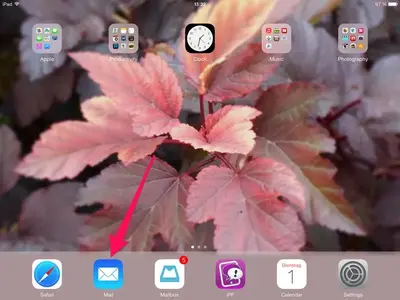
The actual envelope icon. Then keep tapping the top left option until you're presented with Inbox and Accounts
 
This icon:


image-1213420538.webp

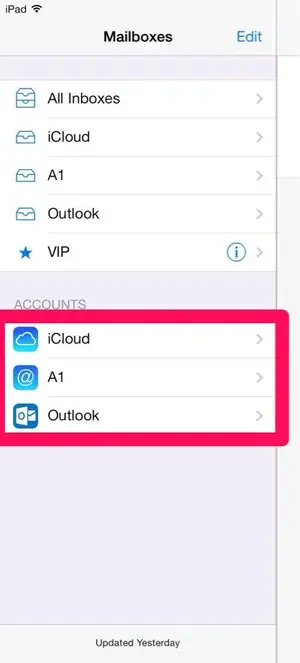
Tap to open it, then go back to this view, where you see your accounts:


image-1770613721.webp

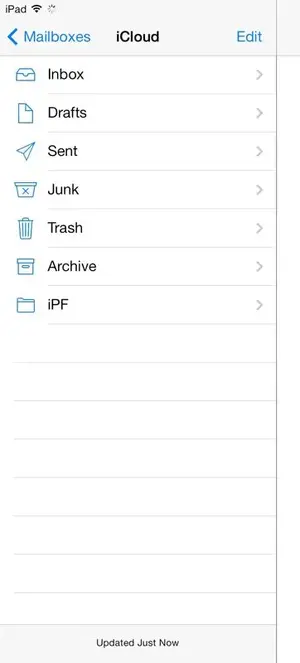
Tap one of the accounts (the one you need), to see this:


image-2324373207.webp

Or something similar.
 
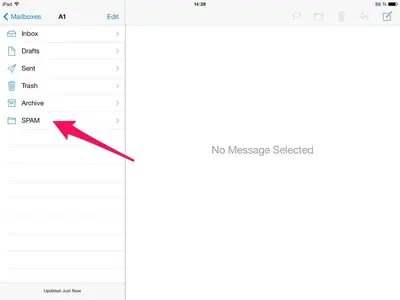
Do you have a junk folder when you access your hotmail account through a browser?
 
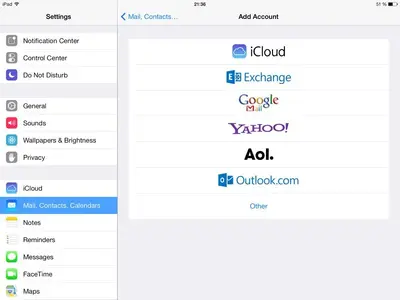
Which option did you use to install your account?


image-2273945744.webp
 
Try resetting your iPad, perhaps it will fix this:
Press and hold Home and Power button simultaneously unti, the Apple logo appears.

Next possibility: delete the account and set it up again.
 
If you could provide a screen capture of what you see, that would help as well.
 

Most reactions

Latest posts

Back
Top Bottom