What's new

Best Note Taking App for Lectures/School - Any Advice?

Hal05154

iPF Noob
I have high hopes of joining the iPad community this December! With Luck, I'll be a 32GB WiFi 3G guy... ;-)

I'm back in school (after a LONG abscence. What the heck is are APA standards anyway???), and look forward having the easy access to work on the iPad that a laptop just won't give me. Push a button, bang, it's on. No 5 minute boot up.

Because of that, I've been looking at note taking apps to use in the lectures I sit in, and was wondering if anyone had any experience using any of them. It'd be nice to be able to both type & free hand for the finance and accounting classes (balance sheets and whatnot).

I've been reading about:

Note Plus, Note Taker HD, and Auditorium Notes.

I'd REALLY appreciate any feedback anyone has regarding any of these apps.

Thank you!

Hal
 
SoundNote

The best app for notetaking and recording is SoundNote. You take notes while the iPad is recording the lecture. Later you can click on any of your notes and you'll be taken to that place in the recorded lecture to listen to the section again. You need to sit close to the professor.

I've used it to record and take notes of podcasts and other audio/video presentations on my desktop, with the iPad set up in front. It's a great app!:)
 
Another app you might want to check out is Moe's Notepad. It has text, voice and image input and has a very detailed file system.

Cheers,
 
I definatly need something that I can draw on the notes with. Or at least I'd like it! I took grad level accounting this semester (it just about killed me!) and you have a lot of bars and blocks you need to write under for the various sheets (Balance, etc.)

Does Soundnote allow for that? I like the feature where your written notes sync with the audio recording! VERY cool for clarifying things, I would think.

Thanks!
 
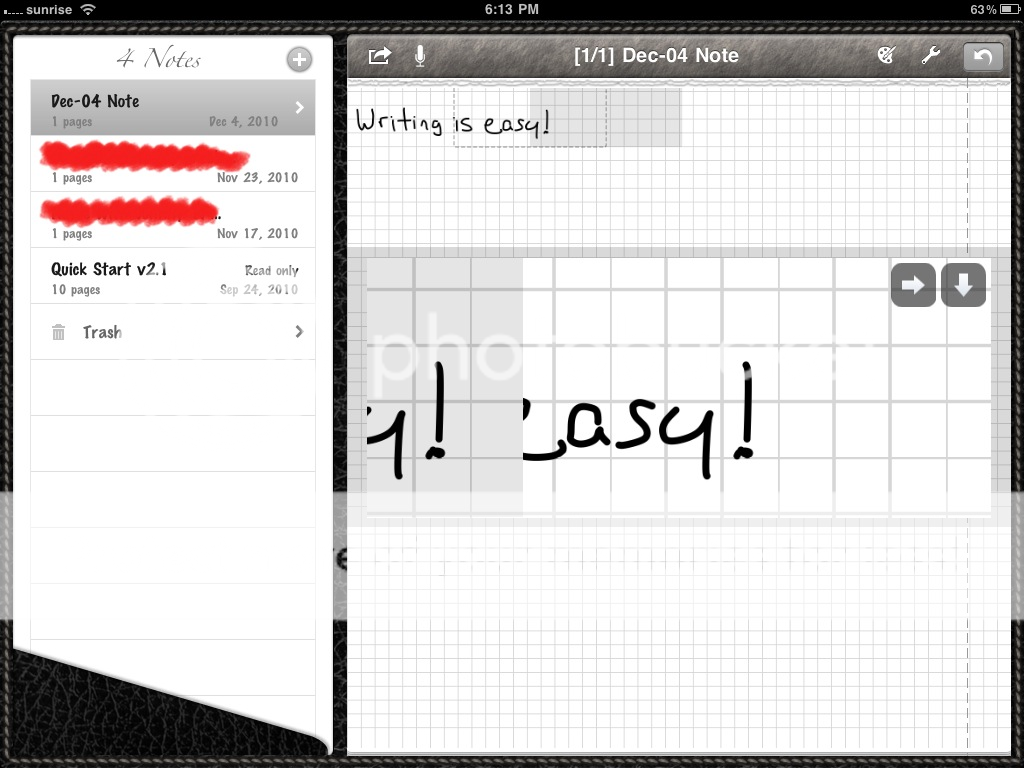
I like Notes (HD) for the zoom 'draw in window', palmrest, and sound recording.
But you gotta use a stylus for best results.

Notes HD:
f67a9b8a.png


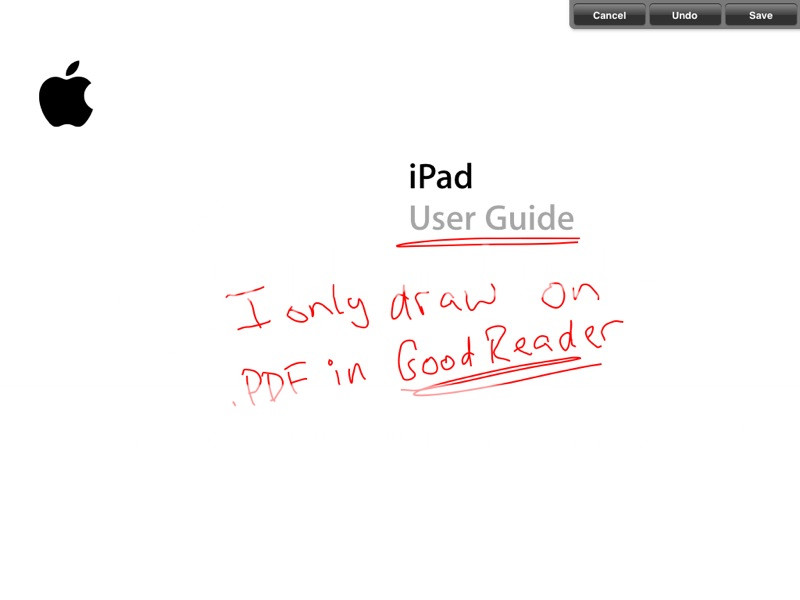
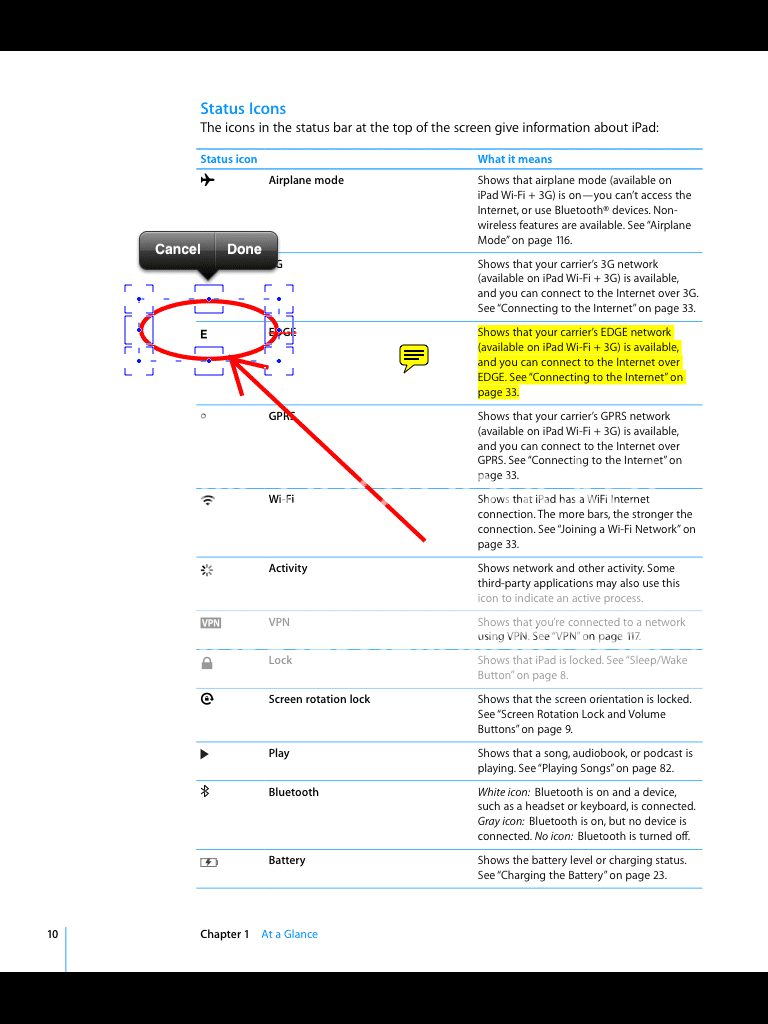
I also use GoodReader for the markup and highlight function.

GoodReader:
d4e1eec0.png

GoodReader:
ab9dccff.png


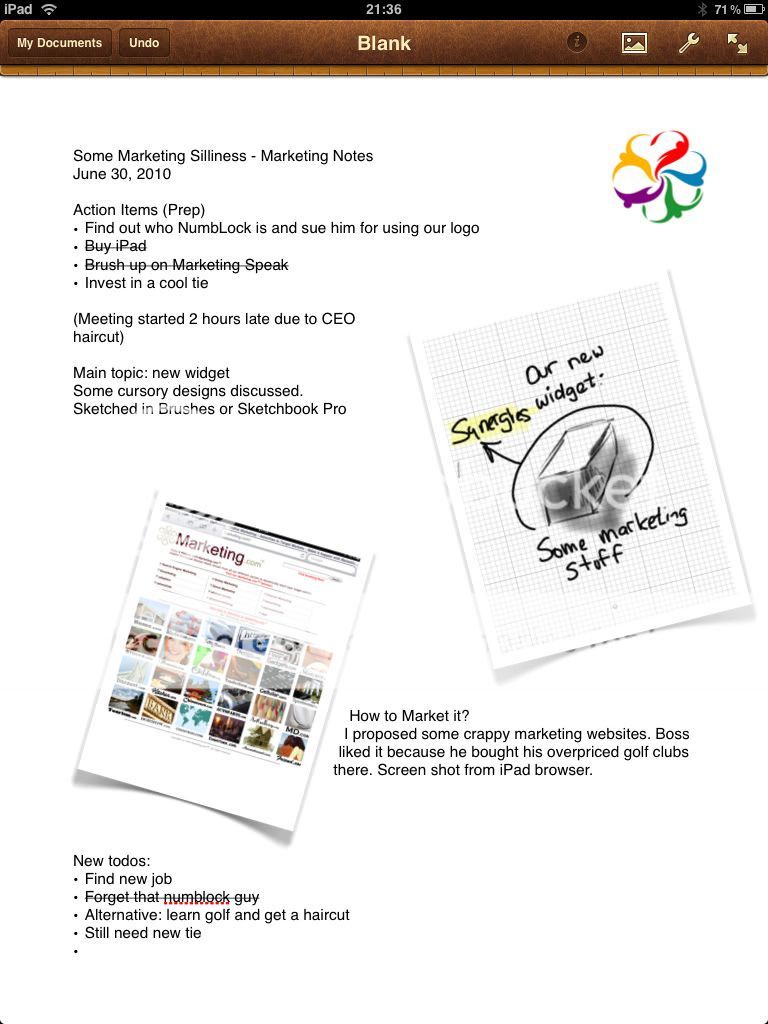
If I want to get fancy, I use Pages and import screen shots from scribbles from SketchBook Pro.
Pages (with sketch from SketchBook Pro):
333023e9.jpg
 
I am starting to look at bit at AudioNote, though I really want to see how versital the drawing function is. Also looking at Audiotorium. Both has audio time synch with where you when you actually type a note.
 
Note Taker HD is the best one IMO. You could write pages and pages of notes with it as if writing on paper. Notes Plus comes a close second, I find it a bit slow. Penultimate is useless for taking notes in lectures as you can't fit too much on a page.
 
I suggest trying Notability. It allows you to sync & amplify audio with notes so you always know what you were writing during a given point in the lecture. Notability also allows you to insert pictures, we images, and hand written notes and drawings. While writing you are also able to customize text with size, font, bold, colors, bullets, numbering, etc. The notes can easily be filed and labeled so they are easy to find. Notability also supports exporting the notes as a pdf+recording or simply a pdf through drop box. Coming soon it will support iDISK and webDAV as well.
 
I just picked up TypeLink and started playing with it today
It looks pretty good
So far I haven't foamed that there is any cost or usage limit
 
Thank you for all of the feedback

Thank you to everyone providing feedback on note taking apps. A quick update on Notability:

Ginger Labs continues to update Notability with the most-requested features.

Notability 2.06 is a big update and includes these new features:

- RTF and RTFD file types to edit notes on a computer.
- iDisk and WebDAV backup and sharing services.
- Batch upload of all file types to online services and iTunes, as well as batch printing.

Here is a link for more information. Please do not hesitate to contact us with thoughts and suggestions. We love hearing from people. Notability for iPad on the iTunes App Store
 

Most reactions

Latest posts

Back
Top